Extra Menu Backgrounds
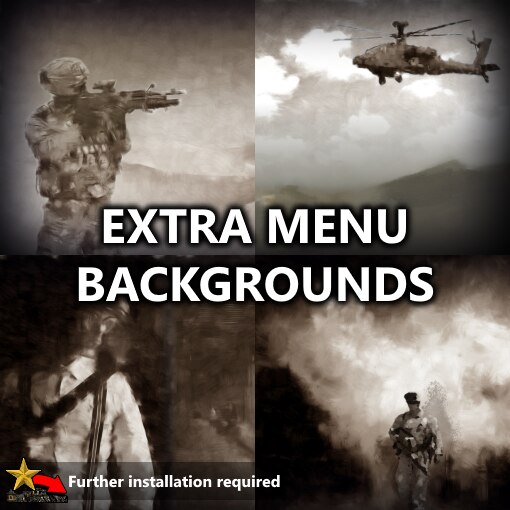
Due to a bug / unforeseen consequence in how RoN’s mod manager is coded[mhloppy.com], I’ve had to repackage the way this mod is distributed. In order to activate the mod you’ll need to follow an extra step per below.
This takes the four extra menu background animations created for Fall of Nations and combines them with the existing four menu background animations, alternating between old and new backgrounds as it cycles through.
I’m not a professional digital artist and it would be very generous to even call me an amateur one, so the quality of each image isn’t quite as high as the originals, but I hope it’s good enough that some people will still enjoy them.
Note: unlike FoN, this mod doesn’t change the menus themselves or the menu music.
1) Subscribe to the mod. (this step will not automatically load the mod in any capacity that is either useful or damaging)
2a) Locate the downloaded Workshop files. For a default Steam install this will be:
2b) Copy the Extra Menu Backgrounds folder into your Rise of Nationsmods folder. For a default Steam install this will be:
3) Ensure that the mod is loaded and enabled in the Rise of Nations mod manager (accessible via Tools & Extras -> Steam Workshop).
4a) If you ever want to disable the mod, delete the COPIED files (keep the original ones that Steam downloaded). If you disable the mod without deleting these extra files, game assets may load incorrectly due to a limitation of the game’s mod manager and it can cause ugly missing graphics leading to blank white backgrounds.
4b) To restore the mod after previously deleting it, simply repeat step 2) again.
Because RoN modding is dumb, using this mod will likely cause you to go out-of-sync in multiplayer games unless the other players are also using the mod. (This hasn’t been explicitly tested yet though)
CC0 images that I did some editing on for the menu backgrounds:
- Soldier[pixabay.com] by Amber Clay[pixabay.com] via Pixabay
- Soldier crop[pixabay.com] by Hilary Clark[pixabay.com] via Pixabay
- Apache helicopter[pixabay.com] by mrminibike[pixabay.com] via Pixabay
- Cloudy field[pixabay.com] by Gianni Crestani[pixabay.com] via Pixabay
- Desert dunes[pixabay.com] by Falkenpost[pixabay.com] via Pixabay
- Gunman[pixabay.com] by SamWilliamsPhoto[pixabay.com] via Pixabay (he has plenty of other gorgeous shots on dark backgrounds too!)
- Windowed hallway[pixabay.com] and Fiery explosion[pixabay.com] by Free-Photos[pixabay.com] via Pixabay
- Soldier walkaway[pixabay.com] by Inactive account 272447[pixabay.com] (rip) via Pixabay (I changed the context of the picture quite a lot lol)
- Small explosion[picsart.com] by 4asno4i[picsart.com] via PicsArt (technically not a CC0 license, but close to it based on the poorly explained licensing agreement)
The painted effect applied to each image is a mix of FotoSketcher 3.50[fotosketcher.com], the included Oil Painting effect in Paint dot NET[www.getpaint.net], and my own editing.
If you like this mod, please consider rating it. If you notice any issues, please let me know so I can fix them!
To support my modding: [patreon.com]
 [ko-fi.com]
Revisions:
Old revisions of this mod are available below. Click the link to download.

