AC Cobra
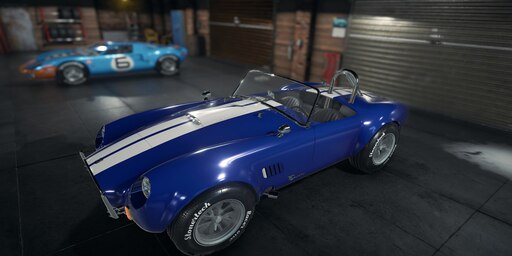
AC Cobra Livery for DC Typhoon
How To Install
1. First Subscribe to the Mod.
2. Once it has finished downloading go to here:
Replace X: with your drive letter or drivename
X:Program Files (x86)Steamsteamappsworkshopcontent6456302554260476
3. copy the file livery_typhoon_4.png or livery_typhoon_5.png
4. Goto
X:Program Files (x86)SteamsteamappscommonCar Mechanic Simulator 2018cms2018_DataStreamingAssetsCarsDCTyphoonLiveries
4. paste livery_typhoon_4-.png or livery_typhoon_5-.png into the DCTyphoon Livery folder.
DONE
now open the game and it should be in the spray booth as a livery.

