Subsystems Scaling
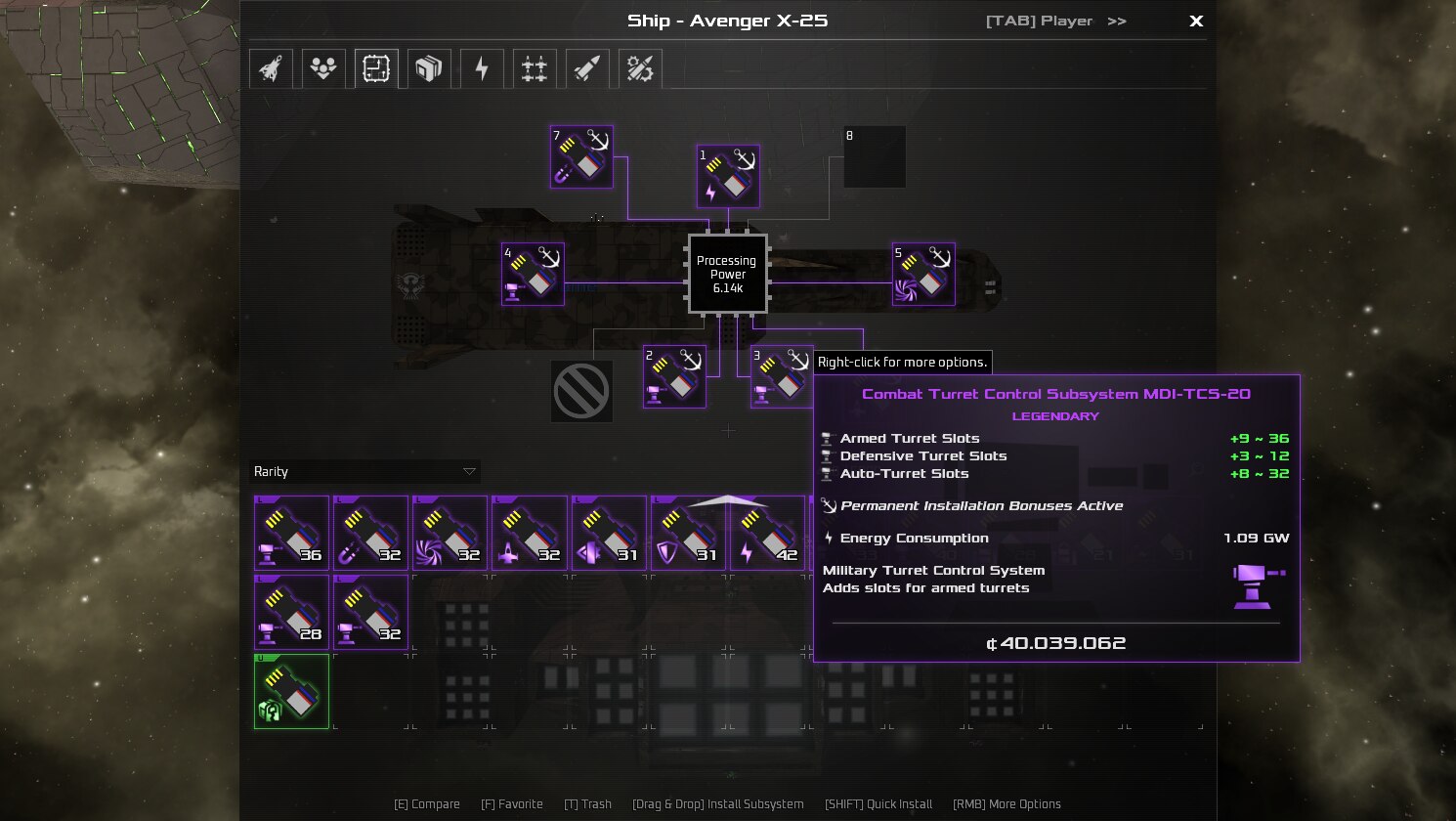
Subsystems Scaling increases efficiency of installed subsystems according to ship’s size (or rather, ship’s processing power level). With it, bigger ships will receive much greater effect from same subsystems, compared to smaller ships.
Every time your ship processing power and/or level are changed, you need to re-calibrate installed subsystems to get best possible effect. To do so, you need to remove subsystem and install it again. In case, if your subsystem is permanently installed, do so near Equipment Dock, to ensure that subsystem won’t be destroyed, once removed.
Subsystems Scaling Effects:
* Normal Subsystems (Petty ~ Legendary) – scaling starts ship’s processing power level 3 and ends at ship’s processing power level 13. Maximal effect of scaling is 400% for these subsystems. Changed pricing formula. Energy consumption is unchanged. In addition, some subsystems either fully or partially can benefit from excess scaling with up to 500% scaling on top of original 400% scaling effect. Valid only for humongous ships.
* XSTN-K Subsystems (Artifacts, Legendary) – scaling starts ship’s processing power level 5 and ends at ship’s processing power level 10. Maximal effect of scaling is 200% for these subsystems. It was made this way, because they are much easier to acquire, compared to normal legendary subsystems.
* Stabilizing Mainframes – now limited to one per ship and allow to access excess scaling feature for truly humongous ships (to my knowledge, any other mode beside "normal" doesn’t require to use more processing power, thus can benefit from excess scaling from the get go). Effects start at 135,000 and maxed out at 915,000 processing power.
* DLC Subsystems (Petty ~ Legendary) – there is no viable way to alter them so far.
Mod Compatibility:
Since mod overwrites pretty much all the original files in datascriptssystems folder, any other mod that touches these files is is incompatible almost by definition.
Error/Lags Instructions:
If you started seeing that game excessively slows down or stopped working, it means error has occurred. In that case, follow these instructions:
1) Verify that you’re running latest stable/release version of the game.
2) Verify that you’re running latest version of mod on client and server.
3) Take client log from: %userprofile%AppDataRoamingAvorion
4) Take server log from: %userprofile%AppDataRoamingAvoriongalaxiessave_name
5) Go to Avorion’s official discord, #mod-discussion channel.
6) Upload these log files there and ping me @WarStalkeR#0001
P.S. I have soft spot for capital ships loaded with tons of guns, because there is no kill like overkill. And since the amount of subsystem slots is hardcoded to 15 (well, 14 due to almost everyone using mainframe), I decided to try making subsystems more efficient without breaking game itself too much.

