Resin Watch (Item Tracker)

Keep track of resin, ammo and items in any map using this watch which comes equipped with a nearby indicator and total counter so you’ll never miss an upgrade or grenade!
This addon require AlyxLib to work.
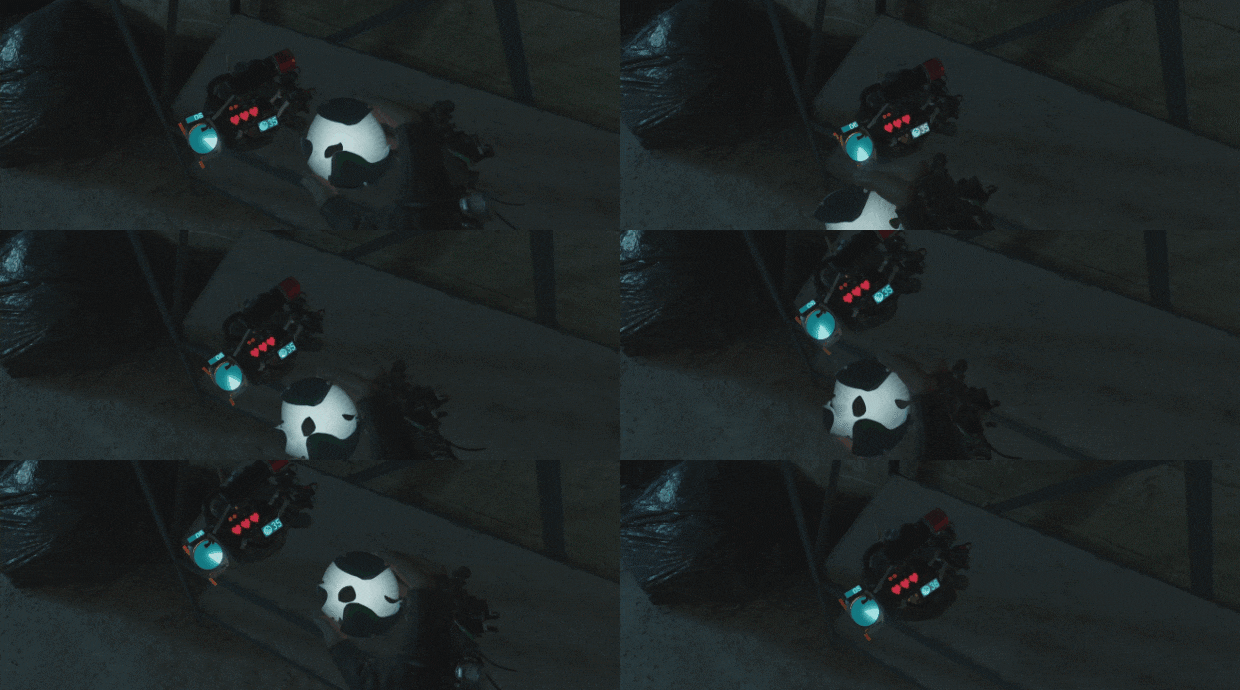
Tilt your non-dominant hand to your face as you would to see your health and look at the watch attached to wrist.
The main center screen will light up with a directional indicator when resin is nearby and will point to the nearest piece.
The counter at the top of the watch displays how much resin is left in the map.
When resin is far enough above or below the watch, a level indicator at the corner of the watch will light up with an arrow to let you know it might be on a floor you haven’t reached yet.
As you explore the map your resin watch will beep and vibrate your controller whenever a new piece of resin is nearby to notify you.
In order to track ammo and items you must double-press the mode switching action:
Valve Index Touch controllers = Arm Xen Grenade (squeeze the trigger twice)
Rift S Touch controllers = Use Grip (squeeze the grip twice)
All other controllers = Arm Xen Grenade (controller dependant)
(If you have rebinded your controller actions then the button might be different for you)
(If you can a recommendation for a default action on a particular controller please let me know)
Your Resin Watch will switch to an orange color and start tracking nearby items. You can change the behavior of its tracking using the console commands listed below.
If you don’t know how to use the console, follow this guide: https://steamcommunity.com/sharedfiles/filedetails/?id=2040205272
- resin_watch_primary_hand
Default = 0
Resin watch will be attached to the primary hand instead of the secondary hand.
This convar is persistent with your save file. - resin_watch_inverted
Default = 0
Resin watch will be inverted on the wrist, screen facing the same way as the palm.
This convar is persistent with your save file. - resin_watch_radius
Default = 700
The distance at which resin will be tracked by the directional indicator.
This convar is persistent with your save file. - resin_watch_notify
Default = 1
The watch will beep and vibrate your controller when resin is nearby.
This convar is persistent with your save file. - resin_watch_level_up
Default = 90
How far above the watch resin is considered on an upper floor. Used for the level indicator arrow on the watch.
This convar is persistent with your save file. - resin_watch_level_down
Default = -90
How far below the watch resin is considered on a lower floor. Used for the level indicator arrow on the watch.
This convar is persistent with your save file. - resin_watch_allow_ammo_tracking
Default = 1
Allow ammo to be tracked by the watch’s alternate tracking mode.
This convar is persistent with your save file. - resin_watch_allow_item_tracking
Default = 1
Allow items to be tracked by the watch’s’ alternate tracking mode (grenades, healthvials, etc).
This convar is persistent with your save file. - resin_watch_toggle_button
Default = Grip button for Rift S, Arm Xen Grenade button for all others
Sets the digital action which must be double tapped to change the tracking mode on the Resin Watch.
To figure out the value of the button you want to use, visit The Valve Software Wiki, Digital Input Actions section and choose the number in the **Value** column next to the action you want.
This convar is persistent with your save file.
Console commands can be set in the launch options for Half-Life: Alyx, just put a hyphen before each name and the value after, e.g. -resin_watch_primary_hand 1
They can also be added to your Half-Life Alyxgamehlvrcfgskill.cfg file, one per line without the hyphen, e.g. resin_watch_primary_hand 1
GitHub: https://github.com/FrostSource/resin_watch
The watch model has no underside and was quickly put together by modifying a base asset. If you are a modeller and want to create a custom watch model for this addon please get in touch!
The directional indicator does not correctly point to resin when the watch is upside down (hard to notice unless you hold the watch over your head with inverted mode).
The watch cannot track resin or items that have not been spawned yet. Because of this the counter might not appear consistent but this is normal behaviour.
Please feel free to reach out either by commenting below or messaging me on the Discord server!


