Settings Manager

Here’s the deal – this mod doesn’t actually do anything useful by itself. If you found this page because another mod requires it then read on. If you found your way here directly from some other source (like a random steam search) then there’s really no reason to continue.
Provides an easy way for other mods to declare user configurable settings and gives users a nice UI to change those settings. Setting values are persisted within game saves and if you desire it is also easy to save a set of global default values that applies across all saves.
To use this mod you also need to install
Settings Manager adds a fairly standard looking "options" pinwheel to the "toolbar" above the minimap. Click it to access the settings configuration ui.

The configuration ui looks a lot like Civ IV’s normal options menu. Pretty self-explanatory. Change the settings as desired and then save them with the "Confirm" button at the bottom. Pressing the ESC key or the back button in the upper right will revert the settings to the values present when you opened the configuration dialog.
The exact tabs that are available will depend on which other mods you have installed that use the services provided by this mod.
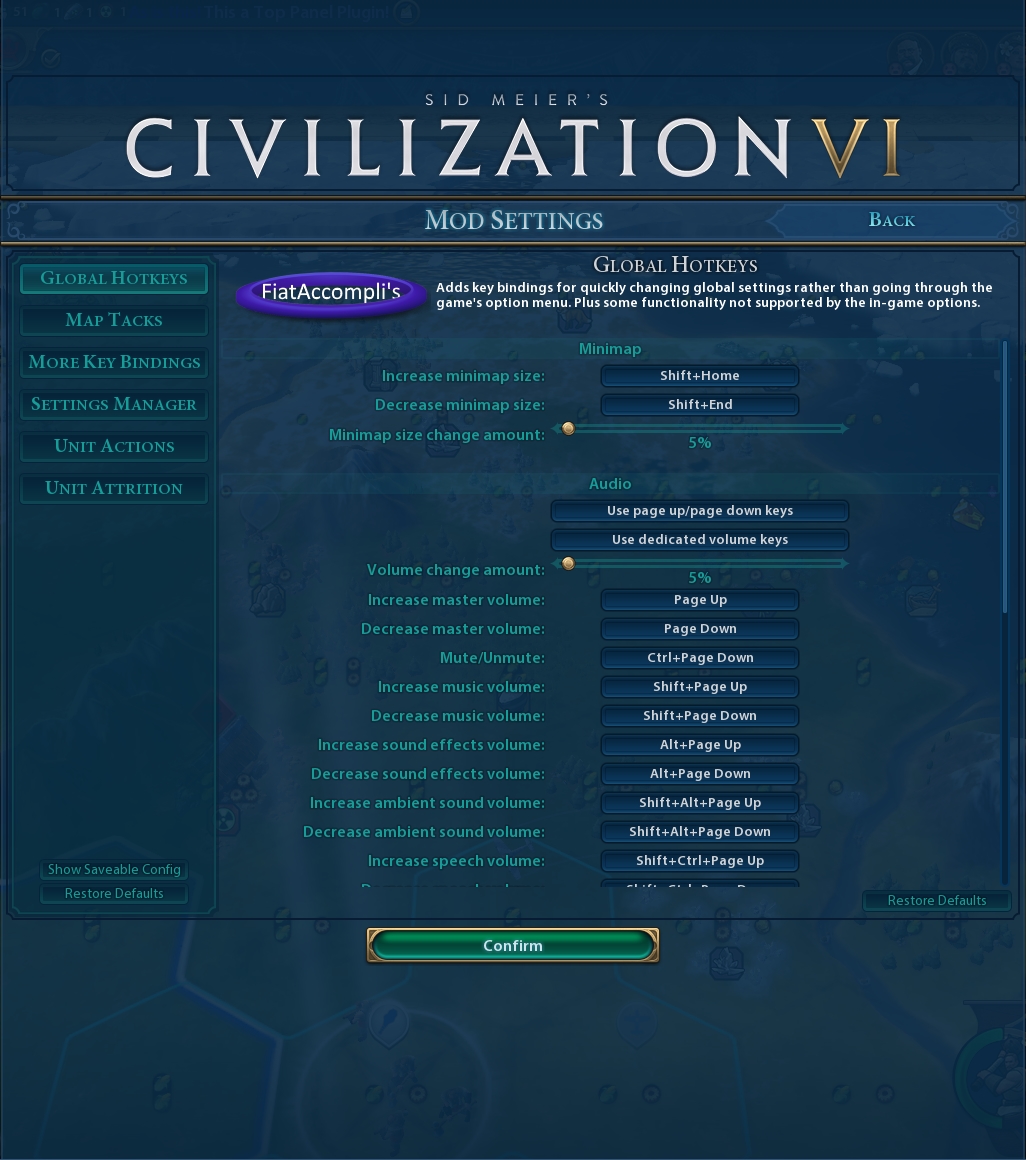
To make the current settings the default for all games, click the "Show Saveable Config" button at the bottom left of the settings popup and follow the in-game instructions.
This mod should be compatible with all other mods. However, as with any mod, unforeseen conflicts may occur.
2019/2/14 – Updated for Gathering Storm release.
To learn how to use Settings Manager in your own mods, see the README[github.com]
Sid Meier’s Civilization VI, Civ, Civilization, 2K Games, Firaxis Games, and Take-Two Interactive Software are all trademarks and/or registered trademarks of Take-Two Interactive Software, Inc who do not sponsor, endorse, authorize or are in any other way associated with this mod.
This mod is provided "as is", without warranty of any kind, express or implied, including but not limited to the warranties of merchantability, fitness for a particular purpose and noninfringement. In no event shall the authors or copyright holders be liable for any claim, damages or other liability, whether in an action of contract, tort or otherwise, arising from, out of or in connection with the mod or the use or other dealings in the mod.

