Modding DevTool Console

A mod for modders 😉 The purpose of this tool is to provide you with an UI that lets you execute LUA code while the game is running. It has two UI mode, a minimized and maximized one. Both lets you enter any number of lines (limited to 150 char per line) and hit the "Execute" button to loadstring (eval) the code within the game.
It is inspired by browser developer tools console and aims to provide a basic REPL (read eval print loop) within the game.
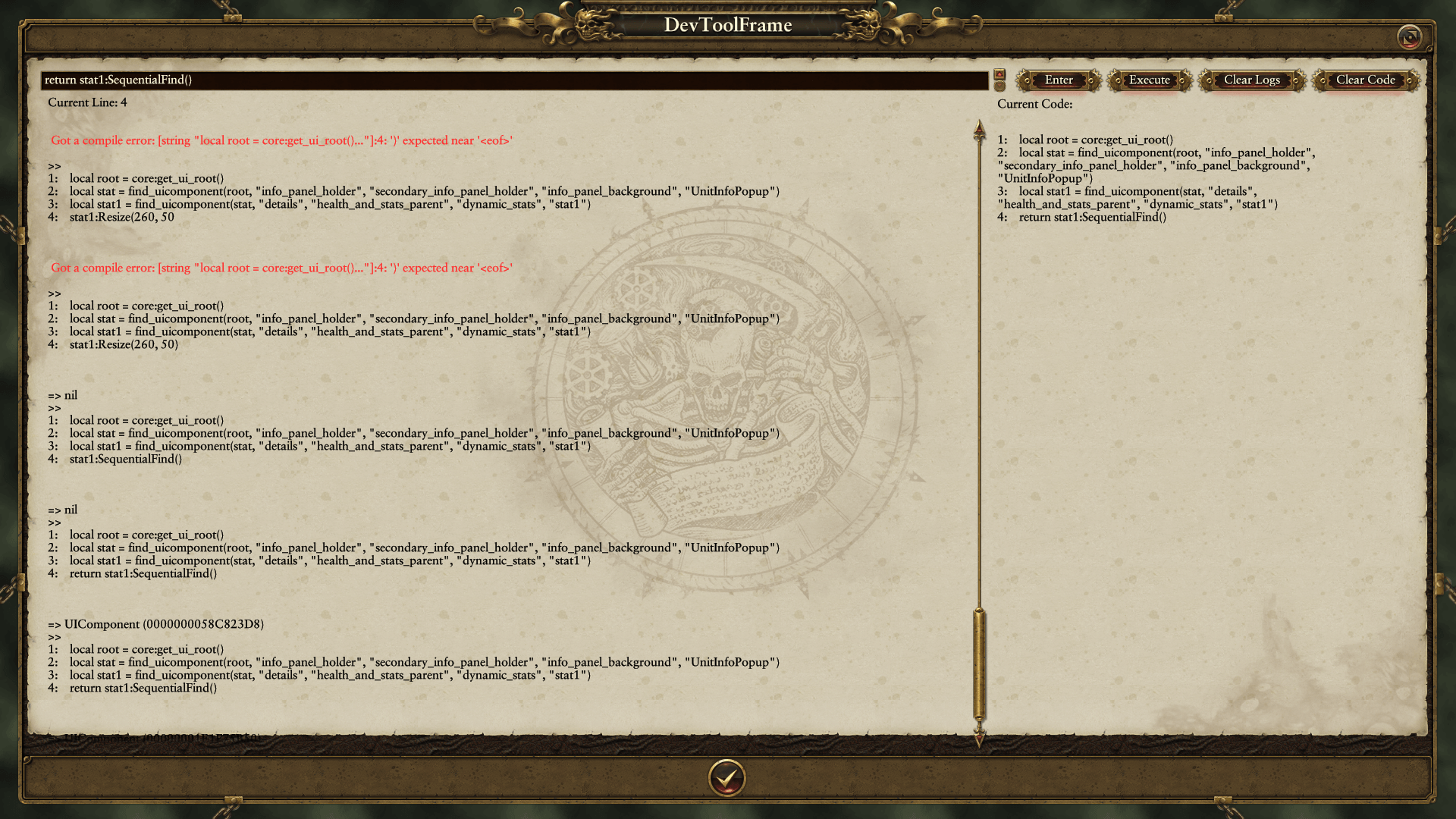
The code you enter has access to the global scope, so any function definition or variables defined globally within the game are accessible (core, cm, etc.). To see the log output, remember to add a return statement within the code you input in the textbox.
The Mini UI is essentially the same as the maximized one, but with a stripped down version, without the full-screen version, log outputs and current code pane.
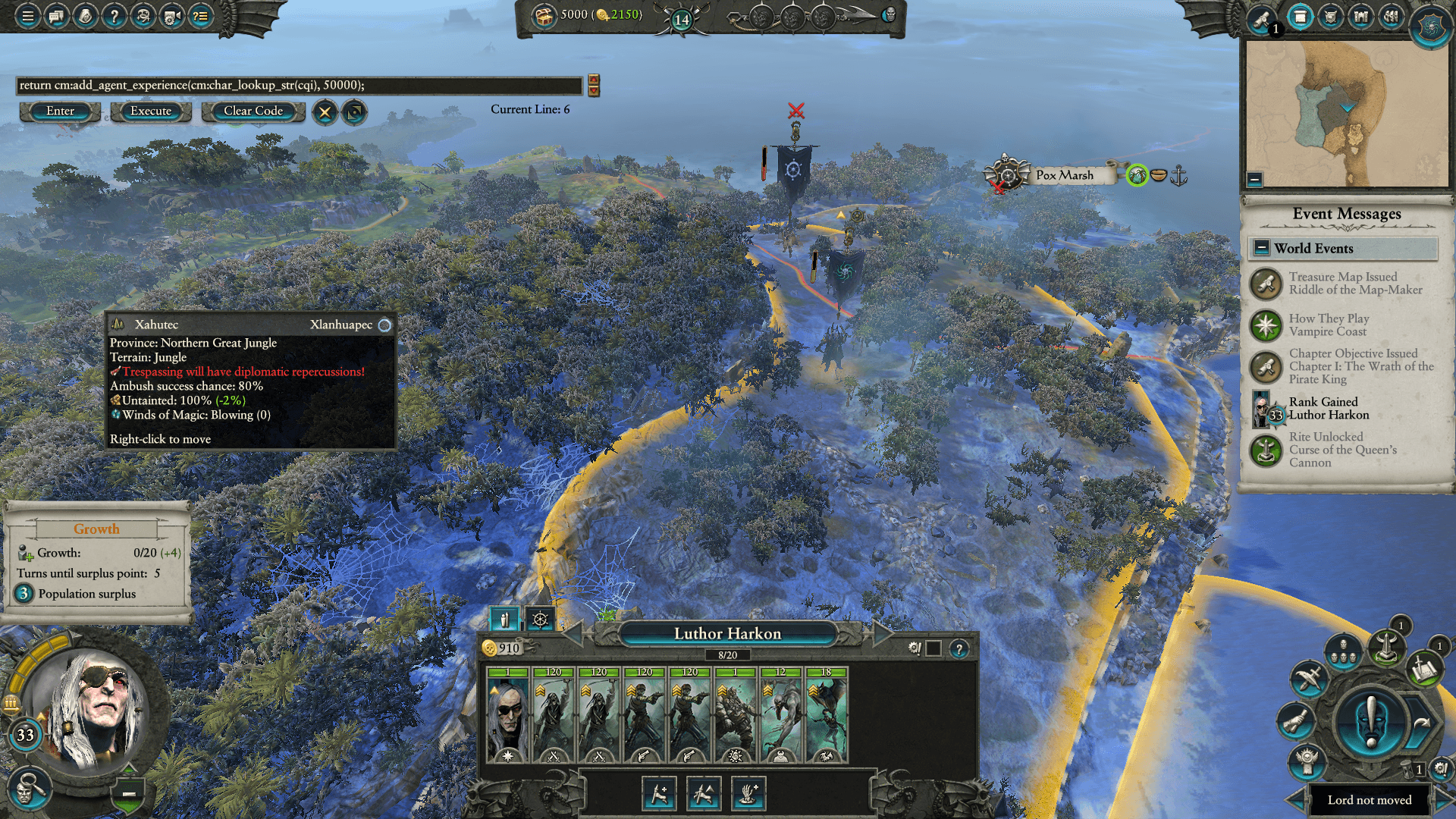
Finally, to access the UI, a new button has been added to the menu_bar in the top left corner.

About to the loadstring mechanism: When you hit the "Execute" button, the mod will concatenate all the lines you previously entered into a single string, separated by line breaks (n) and compile the code using loadstring method[www.lua.org]. It is then executed using a pcall.
Compilation and runtime errors should be displayed in red in the log output panel.
To be able to see the result of any given statement, you’ll have to use a return statement. The code compiled by loadstring behaves like a function.
The devtool console slightly changes the "print()" function (and adds a new "devtool_log()" one) for you to use and inspect variables in the console. Similarly, the return statements now have better output for complex structures like tables.
An options tab has been added that lets you customize two values:
– Path to code output: A filepath that when set will make the console write a file to disk. It will contain the code you execute in the console, and is updated each time you hit the "Execute" button.
– Path to logs output: Similar to the above options, this filepath will make the console write another file to disk. This one will contain the logs output you can see printed below the textbox each time you hit the "Execute" button.
These options were added to let you copy and paste content from them, and let you load them in your prefered text editor.
There is a bug with the options file, named "devtool_options.json". If you encounter a state where the devtool console is broken on a new campaign, check this file to see if it’s empty or has invalid JSON. If it’s empty, re-initialize it with
Huge thanks to Vandy for providing tons of helpful feedbacks and valuable testing. The char size limitation and the idea to workaround that using multiple lines comes from him.
Also, thanks to Vanish and its prior work on UIMF. The UI part of this mod is heavily inspired by his work.
Thanks to the following libraries, and respective authors. Both licensed under the MIT License.
– https://github.com/kikito/inspect.lua – A really useful library to return human-readable representation of any Lua values. In use with the prints and return statements.
– https://github.com/rxi/json.lua – A lightweight JSON library for Lua. Used to read and write option values so that they can be persisted to disk.

