SBS STORM MK1 NUCLEAR REACTOR RAILCAR

The newest release from the SBS Rail Division, the STORM Mk.1 Nuclear Reactor Railcar provides just under 6100 SWATT power to any connected cars. Coupled with the SBS PUMA MK2 ELECTRIC ONLY HST the STORM is easily capable of providing the electrically power for two PUMA HSTs and 6 Rail Cars (including itself) simultaneously to run at 200km/hr. A 100km journey will currently produce just under 6 rads of radiation.
Easy to operate…
Enter the control cabin… just turn the key and everything is automatic.
For those anarchists we haven’t forgetten about you. There is a hidden BIG RED BUTTON that will force the REACTOR in to MELTDOWN mode. It is located in the ceiling just above the reactor screen between the EXTERNAL RADIATION and CLOCK. Be warned.. this meltdown packs a bit more of a punch. To add to the effect the Nuclear Package has been augmented with numerous warheads that will automatically detonate once the reactor goes critical enhancing the simulated disaster. You ask.. we deliver.
The Nuclear Pack is currently set so that it can actually be switched out. I’m still working through some details. For now there is an option where you can drop the entire Nuclear Assembly using a key pad located just inside the rear maintenance doors. The code is 8746… you will also find that code on a clip board careless left by a maintenance worker.
If you are running the PUMA MK2 HST you can activate the Power Assist Motors on the car to assist with speed control…
- On each car as you top the stairs there will be a orange control panel on the left side of the train. There are two buttons, a radial segment, a requested speed indicator and a number pad specifically assigned to this panel.
- Ensure that the train number set by your number pad matches the train set number of the Master Engine (HST). By default the number will be 222 (if the number pad is left as 0). This number is reflected on the display panel on the outside of the train and the panel visible to the interior seating section. All of the SBS train elements in your "chain" should have the same number.
- Click on ACTIVATE ASSIST MOTORS, this will light up the top part of the radial segment as green. This will activate electrical motors on the car which are powered internally by batteries but recharged by the hitch connection to the main train engines. If there is a Master Engine present the two centre radials will light white indicating a positive integration. The motors will automatically adjust in order to assist in bringing the entire train to the requested speed as defined by the Master Engine (HST)
- If the train car is pointing opposite the direction of the currently defined Master Engine (HST) then click the REVERSE DIRECTION button, this will light up the bottom part of the radial segment as yellow. This is necessary to ensure that the wheel spin direction reflects the proper direction as defined by the Master.
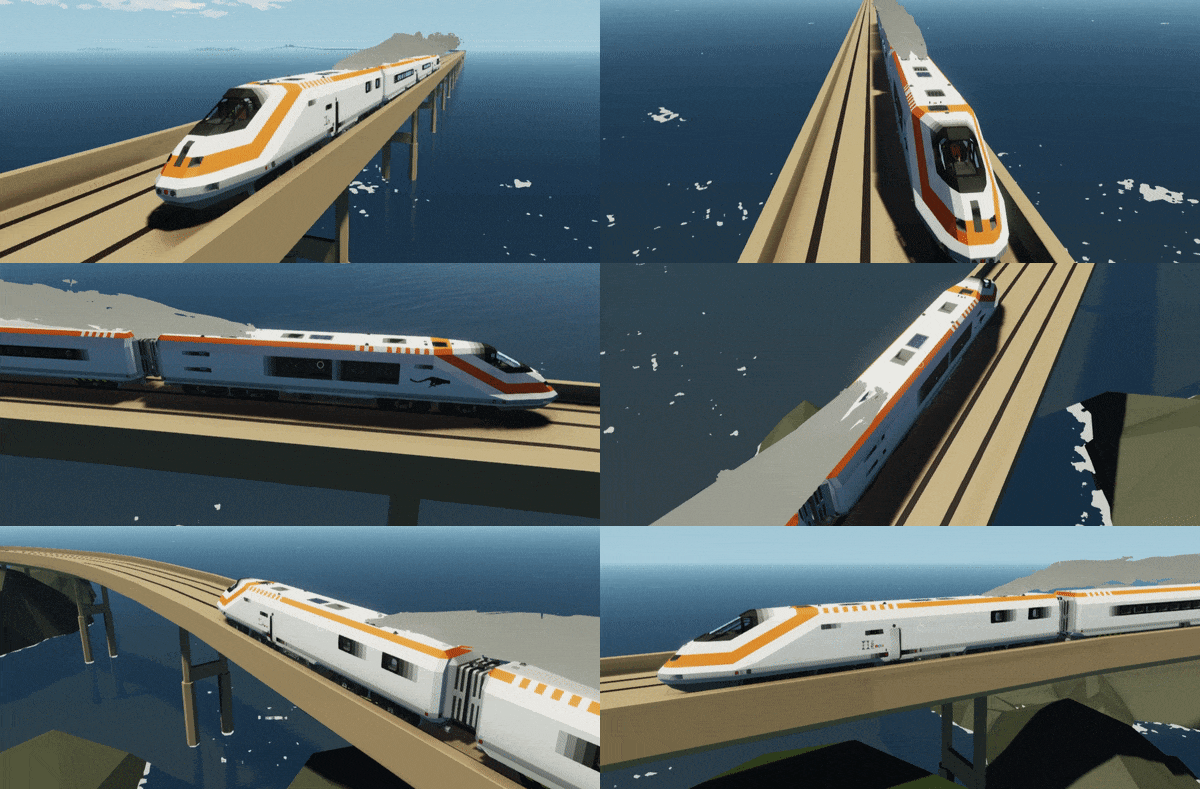
LINK for PUMA MK1 High Speed Train -> https://steamcommunity.com/sharedfiles/filedetails/?id=2087793425
LINK for PUMA MK2 High Speed Train -> https://steamcommunity.com/sharedfiles/filedetails/?id=2841449190s
LINK for PUMA MK2 High Speed Train ELECTRIC ONLY -> https://steamcommunity.com/sharedfiles/filedetails/?id=2865702211

