Texture, Sky and Lighting Overhaul (V3 – With Biomes)

Version 3 of my tweaks lighting, weather, ground and road textures, trees and skybox to get things looking as realistic and pleasing as possible. Now supports all Biomes!
In general I’m shooting for realistic, characterful, attractive, and not being too dark to play no matter the weather.
The look is a fair bit more bright, contrasty, colorful and less foggy than default, and gives much longer view distances too.
Compared to V2 the sunsets and nights are a bit less overbearing, and a bit brighter and easier to play in. And just a whole lot of tweaks to various textures etc that are a little more muted and realistic, and in my opinion look nicer (if you disagree you’re welcome to grab files from V2 and throw them into this one, I won’t be offended!)
Also did some work retexturing some of the resource piles, along with doing the biomes.
For the Jungle/Asia biome I’ve changed a lot and gone more towards a Cuba sort of look, so that may or may not be what you’re looking for! Siberia has some more subtle adjustment, and desert just has a couple of smoother looking ground textures.
Note that there are some things that are a bit annoyingly limited with biomes that mean they don’t look *quite* as perfect as they could:
Gravel roads have to be shared by all biomes, and mud roads by all but Siberia, so had to make them a compromise colour that works okaaaay with all biomes.
Lighting/weather is also shared by all biomes, as are water colours and skyboxes. So no unique blue tropical water or muddy jungle river water or anything I’m afraid.
Skyboxes
Weather/Lighting/Fog settings
Ground Textures
Road, Runway and Path Textures
Water Settings
Some Resource Textures (Gravel, Ores etc)
Some Tree Textures & Tree material settings.
Road Dust Particles
1. Subscribe to this mod and wait for it to download.
2. Right click on the game in Steam, select Manage > Show Local files. You will be taken to the game folder, usually ‘steamappscommonSoviet Republicmedia_soviet’.
3. Find the folder with the mod. To do this, open another window with the same address that you have open now, then go up a few levels to the folder ‘steamapps’, then go to the subfolder with the mod ‘steamappsworkshopcontent7841503630371063’.
4. Copy the folders from the Media_Soviet.zip file into the Media_Soviet folder of your game install. (if you have terribly slow internet you might want to make backup copies of the original folders in your install)
When the mod updates you have to copy the current data again into the appropriate folder as before. If your mod folder does not contain the Current Data, you will need to unsubscribe & resubscribe the mod once so that it downloads the latest version.
Just do a verify integrity of game files by right clicking on Workers and Resources in Steam and going to the installed files tab.
I did a reskin of the entire UI & Resources icons of Soviet Republic, if that’s your kind of thing.
https://steamcommunity.com/sharedfiles/filedetails/?id=3407335176


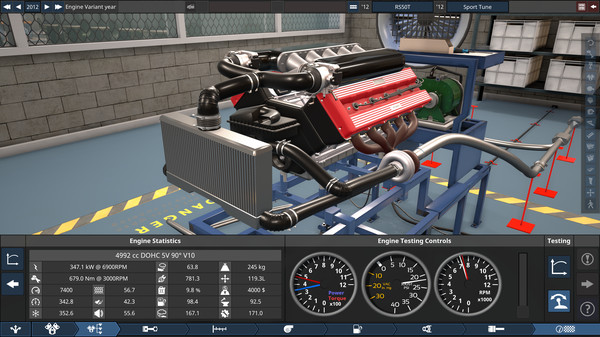
I’m also a game developer as a day job, if you like really detailed games about cars and engineering them, check out Automation: The Car Company Tycoon Game
If you like what I’ve done, please consider contributing to the staggering amount of coffee it took to do the late nights on this mod <3 – https://ko-fi.com/daffyflyer

