Enhanced Clean UI Reskin

A thoughtful UI mod for Soviet Republic. While I deeply appreciate the game, I think there is room for improvement in its user interface. The current design, which can be described as skeuomorphic (trying to mimic the appearance of real-world objects), lacks visual clarity and looks kinda dated to me.
This mod aims to address these concerns and offer a refreshed UI experience. Something like 2000 assets have been updated to do this!

A clean. flat style monochrome theme in shades of grey, white, and charcoal. The mod replaces intricate icons with simplified versions that provide information more quickly and effortlessly.

All in-game resources now feature new icons, some of which may be considered slightly cartoonish. However, these icons offer consistency, readability, and an overall tidier look.

Building icons have undergone significant enhancements as well. Instead of relying solely on pictures, each building now showcases a series of icons and arrows that illustrate their resource chain. While it may not possess the same aesthetic appeal as the original building images, this modification significantly improves the learning process by offering way more information.


Stick figure icons have been replaced with clearer busts, ensuring improved visual clarity and eliminating any blurriness.


The water gauges have also received a substantial overhaul, replacing the images with more informative visuals. Admittedly, modifying these images was a challenging task due to the limitations of UI modding but the result effectively communicates essential information while maintaining a decent appearance.

1. Subscribe to this mod and wait for it to download.
2. Right click on the game in Steam, select Manage > Show Local files. You will be taken to the game folder, usually ‘steamappscommonSoviet Republicmedia_soviet’.
3. Find the folder with the mod. To do this, open another window with the same address that you have open now, then go up a few levels to the folder ‘steamapps’, then go to the subfolder with the mod ‘steamappsworkshopcontent7841502988567639 ‘.
4. Copy the folders from the Media_Soviet.zip file into the Media_Soviet folder of your game install. (if you have terribly slow internet you might want to make backup copies of the original folders in your install, but if you don’t mind a 135mb download when uninstalling, don’t bother)
5. (Optional) you might want to use the custom GUI size option in the game options and turn it up to at least 115% (depending on your resolution)
Option 1: During install, make backups of the Editor, Resources and Notification folders in from your media_soviet folder so you can put them back later.
Option 2: If you don’t mind downloading 135mb again, just delete your Editor, Resources and Notification folders then go press play on steam and it’ll redownload the default versions again.
For updates you have to copy the current data again into the appropriate folder as before. If your mod folder does not contain the Current Data, you will need to unsubscribe & resubscribe the mod once so that it downloads the latest version.
20/06/23 – Fixed confusing vehicle lines/launch buttons, made + and X icons nicer, added some missing building icons, changed construction crane icon to a more readable hammer icon. Lots of other small fixes.
21/06/23 – Reuploading update, as previous one regressed some things.. Please delete the mod content folder and redownload if you’ve downloaded it in the last day
I extend my gratitude to Lex713 for creating numerous buttons and icons, as well as to my design nerd friend Blair for lots of feedback.
Go check out Lex’s awesome North American themed mods here – https://steamcommunity.com/sharedfiles/filedetails/?id=2844969663
Many icons in this mod are based on ones from Flaticon, which I highly recommend subscribing to if you require a wide variety of icons.
Feel free to remix this mod or use it as a foundation for your own UI overhaul. All I request is that you credit me as a co-author and allow me to incorporate any changes you make, as long as they align with the goal of crafting an exceptional UI for this beloved game.
If you require source assets for UI elements, I use Affinity Designer and would be delighted to share them. Please contact me on the modders’ Discord (@Daffyflyer) for further details.
I genuinely hope you enjoy this mod. Your feedback on its strengths and areas for improvement is highly appreciated. But, please bear in mind that certain aspects involve subjective stylistic choices, and I encourage you to make your own modifications accordingly. If you don’t like the colour scheme of the windows/titlebars it’d be a very quick job to recolour those, so feel free to ask me for the vector versions of them for you to modify
I’ve also done a big ol lighting overhaul for Soviet Republic, so maybe check that out?
https://steamcommunity.com/sharedfiles/filedetails/?id=2991013279

If you like what I’ve done, please consider contributing to the staggering amount of coffee it took to do the late nights on this mod <3 – https://ko-fi.com/daffyflyer
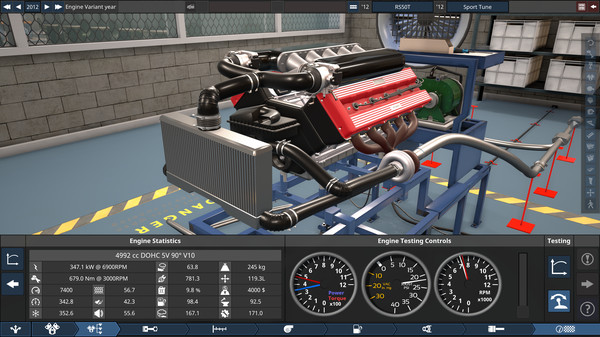
I’m also a game developer as a day job, if you like really detailed games about cars and engineering them, check out Automation: The Car Company Tycoon Game
Revisions:
Old revisions of this mod are available below. Click the link to download.

