Instant Replay

Ever died in a spectacular way and wanted to check what happened?
Or maybe did some sick movement tech and wanted to study what happened frame per frame?
Instant Replay allows for all of that. With the press of a button you can go back up to 20 seconds at 40 FPS (check the config menu) and rewatch the moment as often as you want or even study it frame per frame.
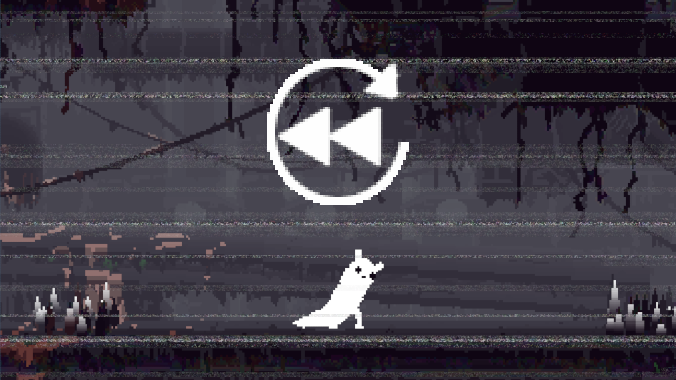
With the 1.1 update Instant Replay can now finally also export animated GIFs of your replays!
By default just press the ‘G‘ key and your last 10 seconds of gameplay will be exported into a GIF.
You can also change this keybind and the amount of time in the settings.
If you want more precise control of the ouput or want to override the time limit you can also do so via the ingame replay viewer.
Just open it (default ‘I‘) and move to the frame you want to the GIF to start at.
Now if you press the GIF button the exported GIF will start at this frame and go on till the end the recording (aka the current moment or your death)
Generating GIFs is quite resource intensive so it might take 1-2 minutes to generate one. However this all happens in the background.
So even if you were to die or quit to the menu the GIF should still generate and will eventually appear in your selected output directory.
You can even export up to 3 GIFs at the same time, however this can take quite some time and each generating GIF needs around 1-2GB RAM depending on your settings.
Using the default controls (can all be rebound in the mods config menu) the mod can be used in the following way:
Press ‘I‘ to open instant replay, it will now play the last X seconds starting at the beginning of the recording.
You will know when the replay viewer is active (especially in fullscreen mode) via the icon in the top right
Toggle between fullscreen and popup mode with the ‘F‘ key while the player is active.
While the replayer is open you can pause with the ‘P‘ key or by pressing either the right or left arrow key. Press ‘P‘ again to enter play mode.
The current state (playing/paused) is indicated via an icon in the top right of the player.
Using the arrow keys you can now go forward (right arrow key) and backwards (left arrow key). Tapping a key shortly will go frame by frame while holding will fast forward/rewind.
By pressing the ‘E‘ key the current frame will be exported as .png to the part defined in the options menu (defaults to "Rain World" folder in your pictures folder).
Revisions:
Old revisions of this mod are available below. Click the link to download.

