FlexPort v1.1.3 BETA
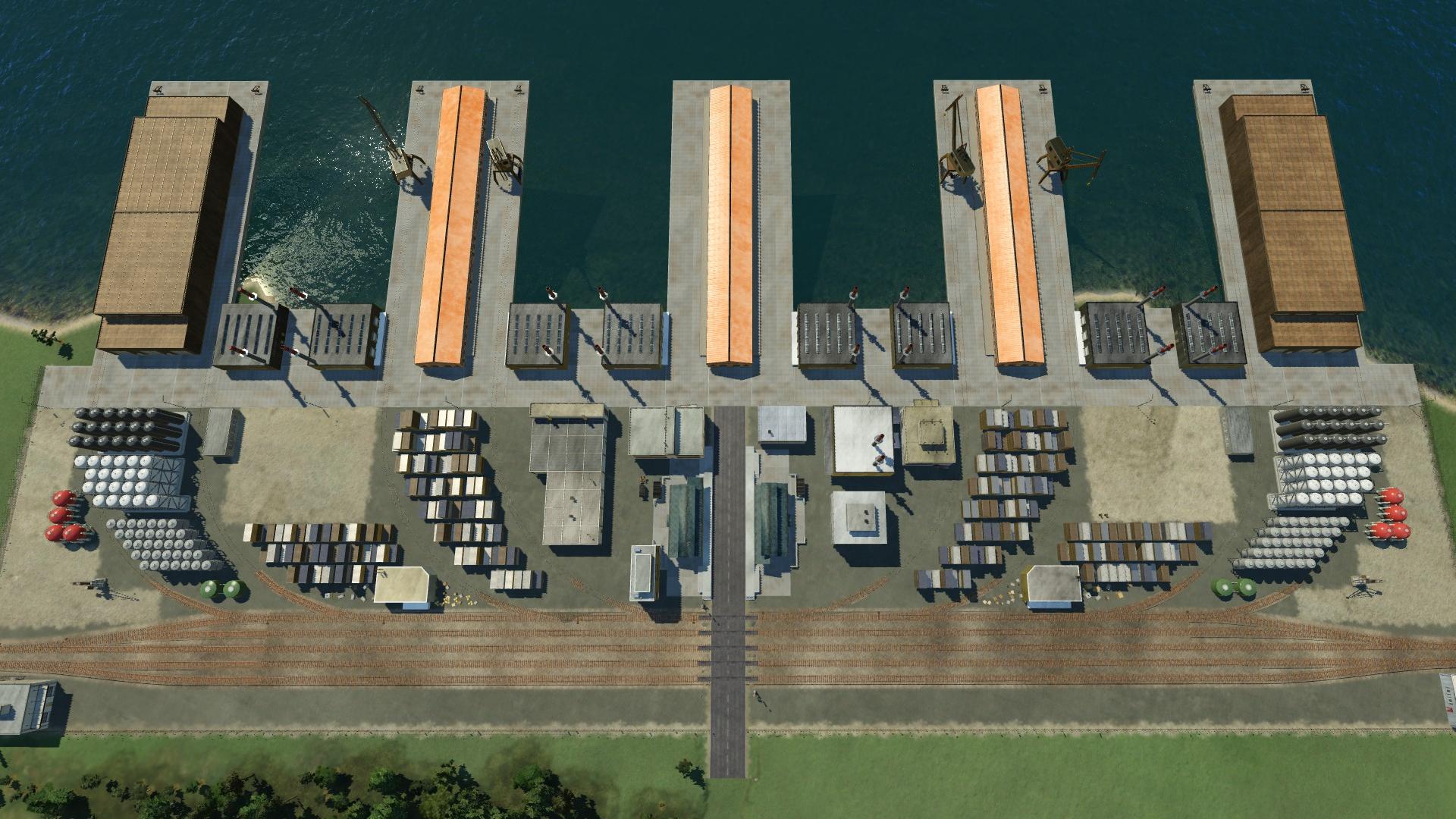
FlexPort: Flexible Industries import/export port
You can export any cargo here, and import any other cargo you may need. However, it will not do straight alchemy, you need to have some activity at the dock:
* transport any surplus cargo to the FlexPort
* it will be turned into "FlexPort Credits"
* you need to transport these credits from one terminal to another, using either trucks or trains (modified trucks and wagons are provided that can carry only credits)
* once the FlexPort credits have been delivered to another terminal they will be converted into the cargo type you need for import.
There are lots of terminals in the FlexPort:
* 4x mainline rail terminals (import/export cargo to/from the rest of your network)
* 10x pier rail terminals (inter-terminal credit transfer)
* 6x pier truck terminals (inter-terminal credit transfer)
* 6x ship terminals (import/export cargo to/from the rest of your network)
* 2x bus stops (you could for example specify one as "unload only" to have more people walking around the terminal)
The FlexPort is physically large (512m x 256m), approximately 8x the size of a normal industry.
Can optionally also be placed as land-only version (without ship piers).
Can optionally also behave as a simple rail/truck(/ship) cargo station without any alchemy.
Overview of the commerce process:
FlexPort accepts all (vanilla) cargo types and "sells" them to the export market, giving you "FlexPort Credits", a special cargo type that is only of use in a FlexPort. When you need any type of cargo to transport to your city, the FlexPort will take those credits and "buy" the goods you need:
https://steamuserimages-a.akamaihd.net/ugc/954105271812482101/4EF09F434ABFA38BBD0460492C6903292545FBFF/
It would of course be much easier to simply "alchemy" one type of cargo into another type, but having FlexPort Credits means you need to have either trains or trucks running around the port transporting credits from one terminal to another. You could also set up two FlexPorts across the water from each other and use a ship to transport credits, giving a more immersive sense of "export <x>, import <y>" (FlexPort Credits version of ships added in v1.0.2).
YouTube video showing alchemy in action: https://youtu.be/fbMT7Jluiu0
It is possible to disable FlexPort Credits entirely, in which case you will have direct alchemy from one product to another that is in demand.
To disable FlexPort Credits: create an empty file "disable_flexport_credits.lua" in the "res/scripts" folder (under Steam that will be "Steamsteamappsworkshopcontent4468001666449081resscriptsdisable_flexport_credits.lua"). Delete this file to restore normal FlexPort behavior.
Note: do not attempt to disable FlexPort Credits in an existing save if you have a FlexPort built that uses credits, or purchased any FlexPort-specific vehicles. You can work around this by selling all FlexPort-specific vehicles, and setting any built FlexPorts to "Cargo Station" mode, save the game, create res/scripts/disable_flexport_credits.lua, then reload your savegame.
Notes:
* Do not add FlexPort into an existing savegame (at least any with lines or vehicles), it will probably crash (confusion about new cargo types appearing in the game).
* There are possible compatibility issues with IndustryDLC. Some users starting new games report it works OK, others have problems. Exact cause of problems has not yet been discovered.
Revisions:
Old revisions of this mod are available below. Click the link to download.

