Tactical Information Overhaul [WOTC]
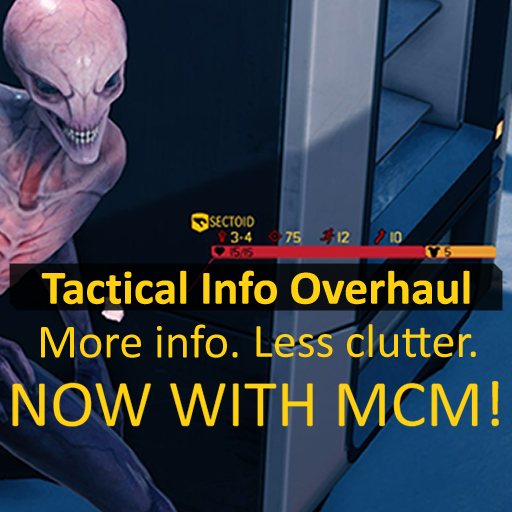
This mod is for War of the Chosen only.
This mod picks up the previously incompatible and abandoned mods "Numeric Health Display" and "Additional Icons" (created by Grimy, Peewi, and Alketi) and brings them into one cohesive package, while updating them to be smarter, dynamic, and more responsive. Special thanks goes out to robojumper, Astral Descend, and Mr. Nice for their seemingly limitless patience for my endless stream of questions.
Health/Shield/Armor bars will now shrink and expand in scale in response to changes in the game state, giving a more tactile feel to changes in your soldier’s health.
Icons have been updated for better readability/sensibility, especially for mods like Delta Strike.
More stats have been added, but are only fielded when relevant, to prevent clutter.
Focus bars have been updated for Community Highlander compatibility, now supporting classes like Akimbo.
Units with small total eHP (HP + Armor + Shields) pools will automatically shrink the length of their bars, allowing for more visibility on maps with high lost density.
Mod Config Manager is now in! The config is still modifiable if you can’t use MCM.
UIUnitFlag
All other mods that override UIUnitFlag. Show Health Values, Numeric Health, Additional Icons, etc. are all off limits. Hopefully, if I’m doing a good job, it should be an easy choice 🙂
You can replace whatever statmod you were using mid-campaign, and unbind the old mod using this!
If you find an issue where a unit is not rendering its text correctly please provide the following:
– A screenshot or description of the unit
– A save game showing the issue (this part is most important)
The save game data can be generally found at:
C:Users<Your Name>Documentsmy gamesXCOM2 War of the ChosenXComGameSaveData
– Copy the save game in question and upload it to your favorite file share (i.e. Google Drive/Dropbox/etc)
– This save game can be copied even if you are playing on Ironman


