Holding Tool

Allows modifying vassal buildings
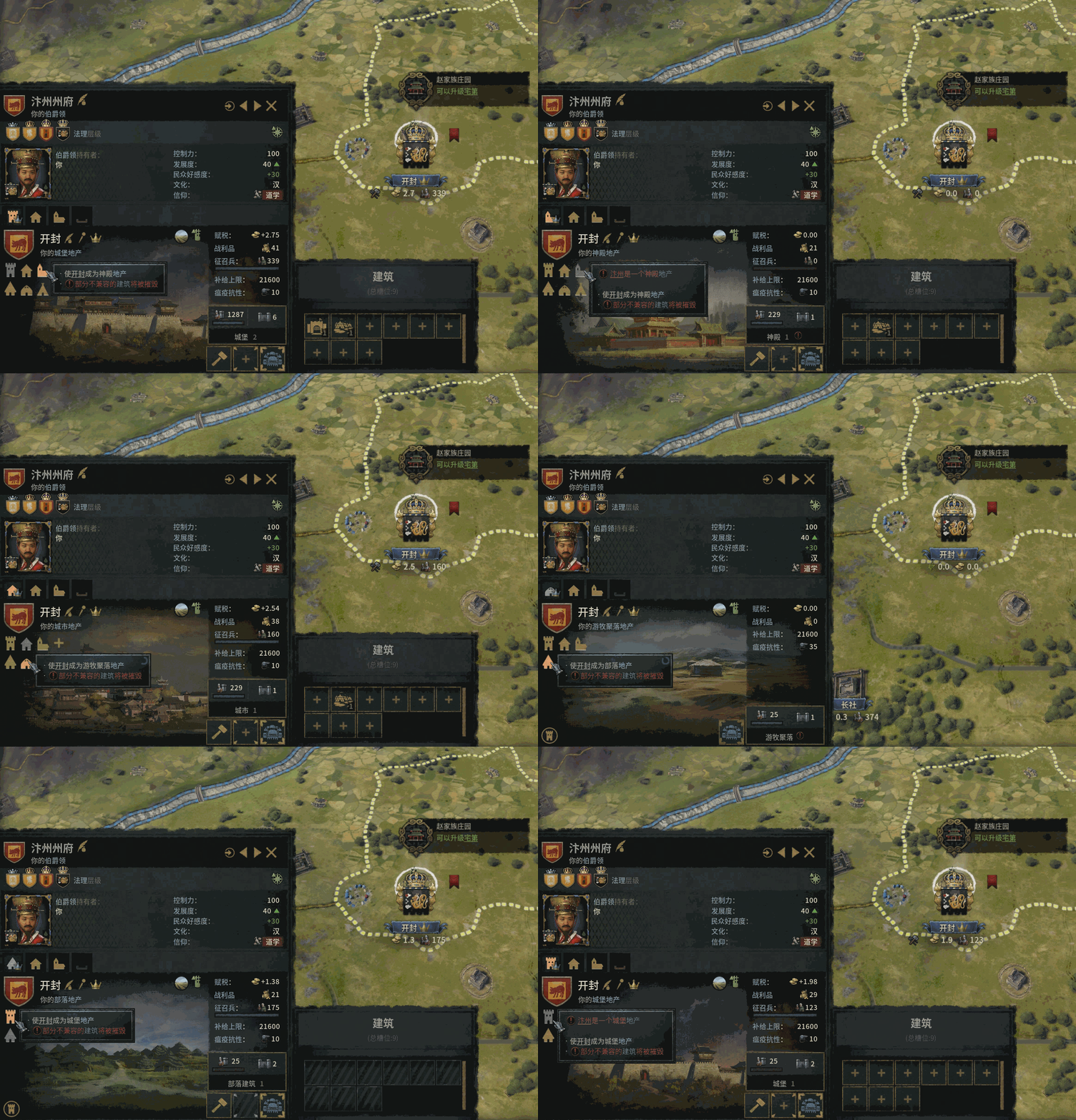
Convert holding types freely between Castle, City, Temple, Tribal, Nomad, Herder, and Temple Citadel (replaces Temple under Mandala government)
Demolish holdings — non-county-capital holdings can be destroyed (After demolishing a holding, there will be a period during which no new holding can be built. If you have the Empty Holding Conversion rule enabled, please wait until the vanilla "Construct New Holding" button becomes available again, then use the conversion feature)
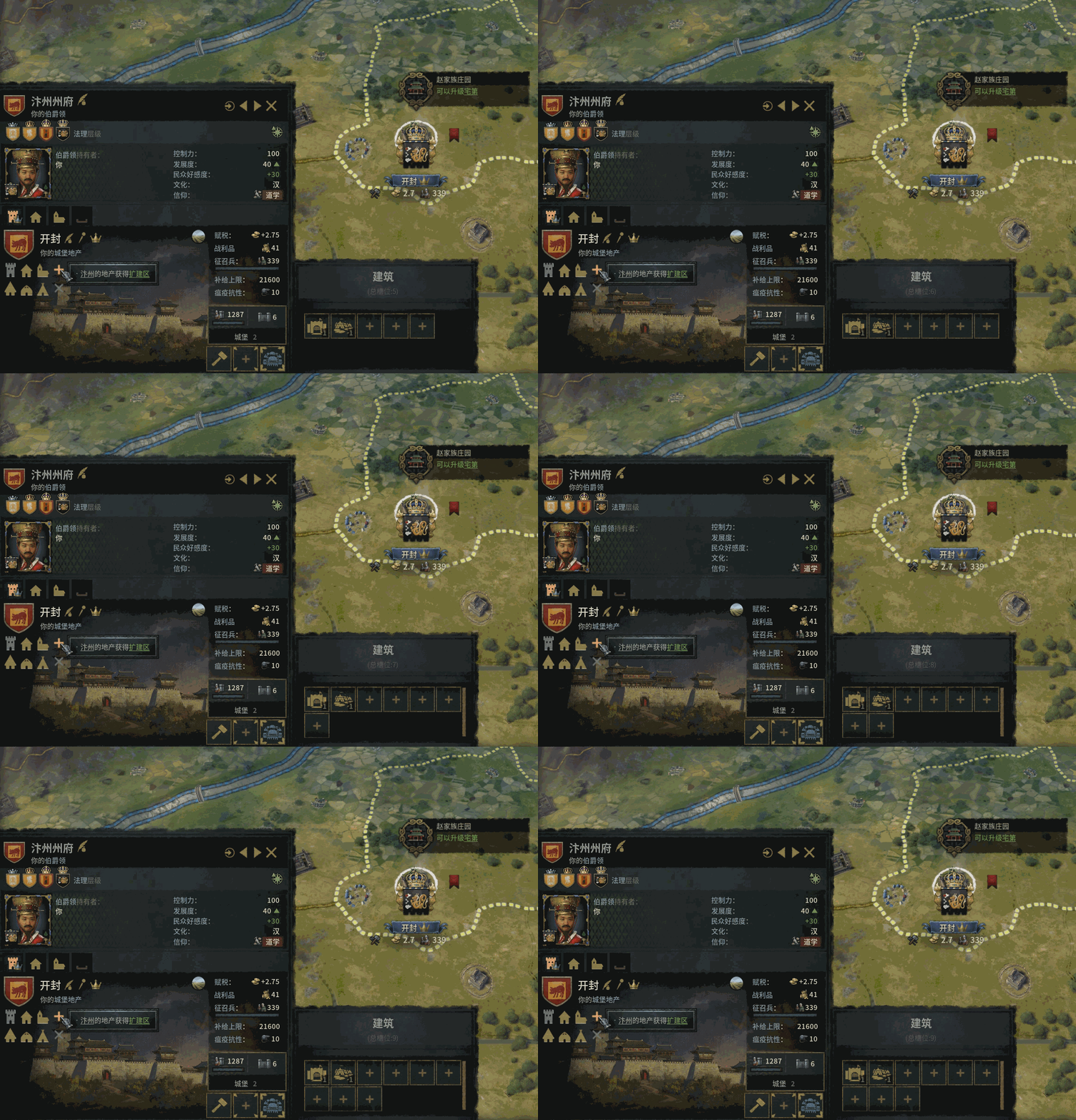
Extra building slots — add new building slots to holdings at the cost of Gold or Treasury
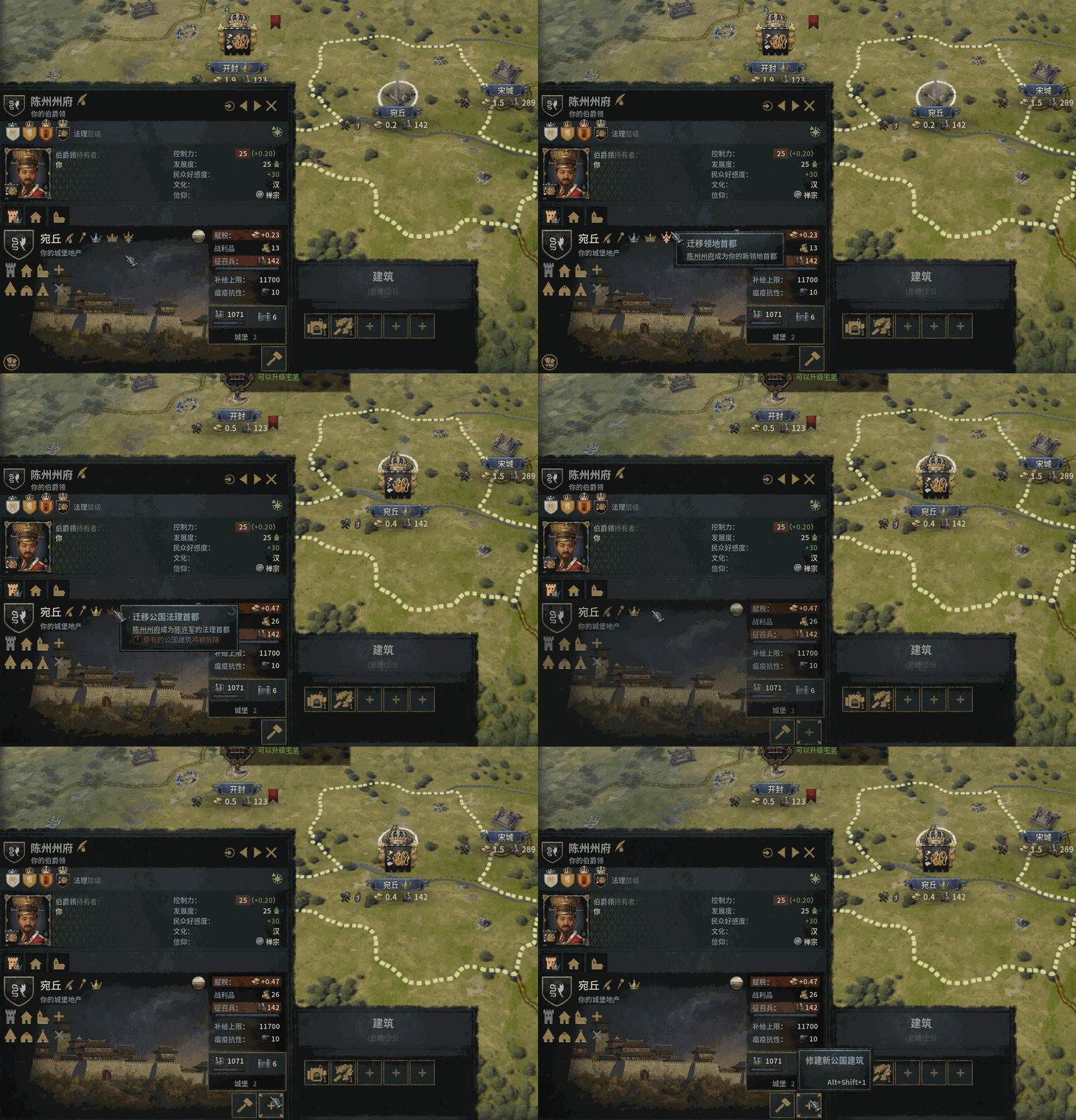
Rewritten capital relocation logic, no longer restricted by the vanilla once-per-lifetime limit
Move De Jure Duchy Capital — set a target county as the de jure capital of a duchy and migrate the duchy building slot
(Due to engine limitations, when moving a duchy capital, ensure the county capital barony holds the duchy building slot, otherwise duplicate duchy building slots may appear. This can be ignored if the county capital has not been moved.)
Collapsible building slot panel with slot count display (Hotkey: F)
Compact building info when selecting new constructions (Hotkey: G)
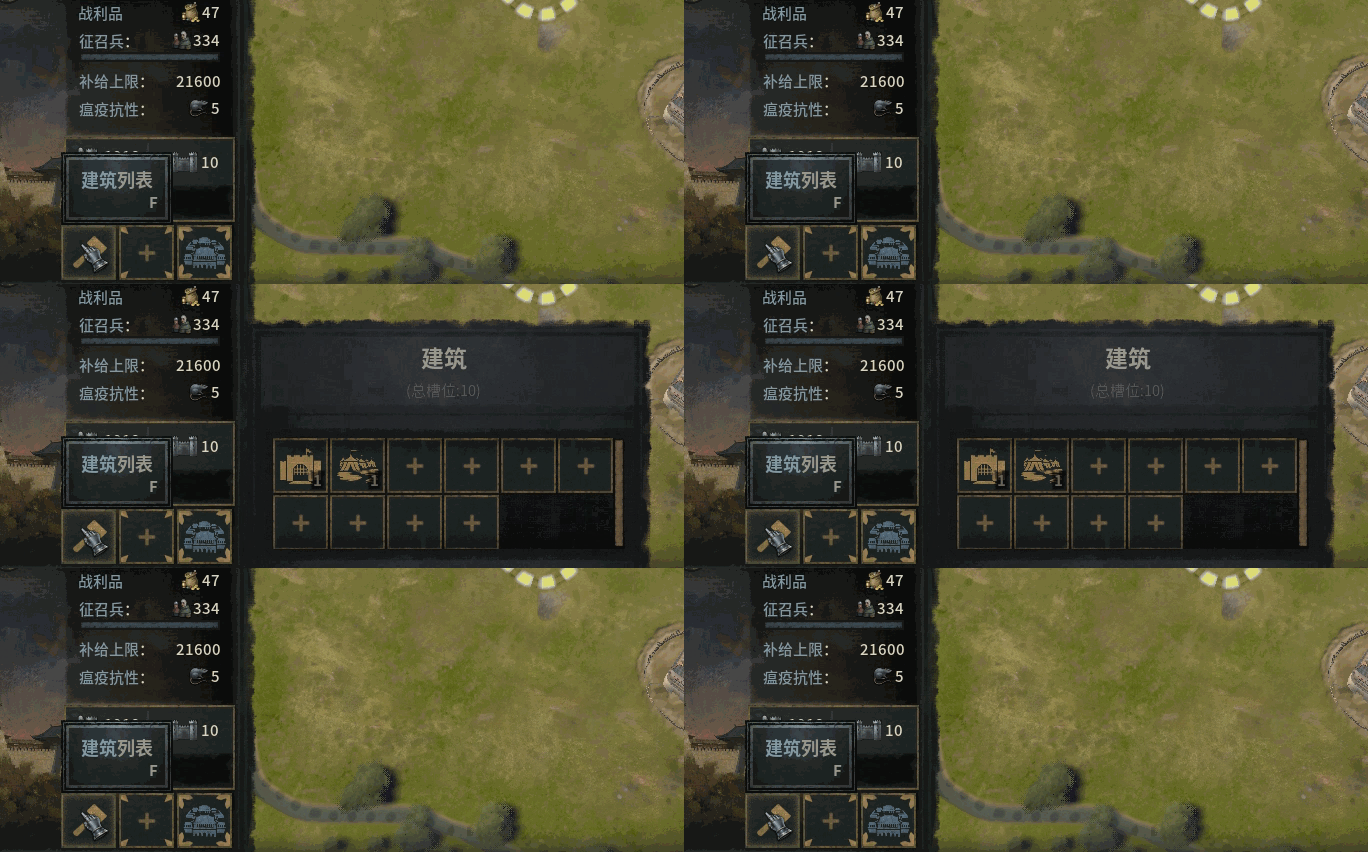
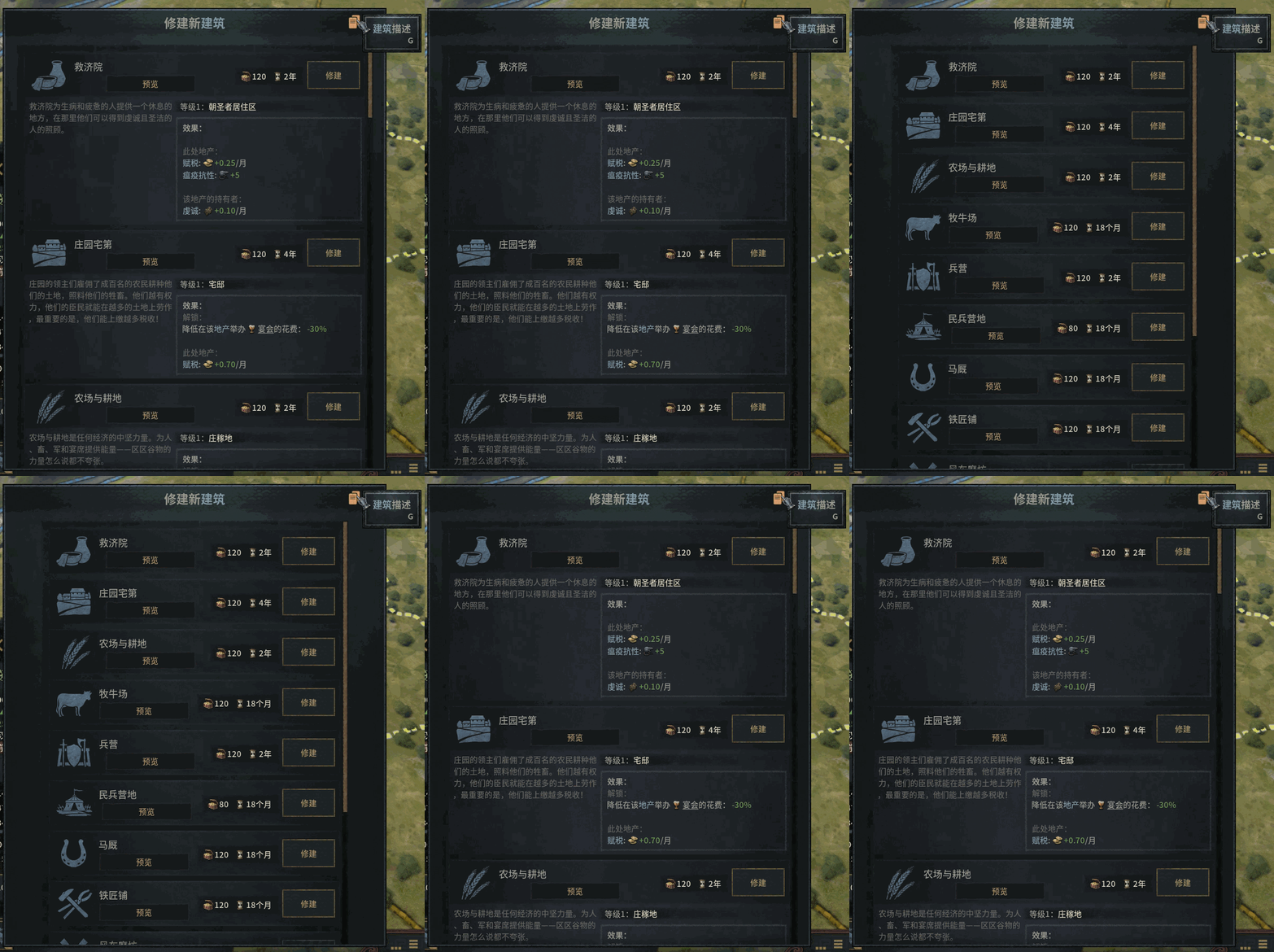
To avoid UI overlap, several approaches were explored — including auto-adjusting window position, resizing, and snapping — but none produced a visually satisfying result and were shelved for now. Using hotkeys F, G, and Esc is recommended for a smoother experience.
This mod offers a variety of game rules for highly flexible customization, and supports changing rules at any time — even in Ironman mode and mid-session.
Target Scope: Domain Only, Direct Vassals, All Vassals (including sub-vassals), All Realms
Currency Type (resource consumed): Gold, Treasury, Gold First, Treasury First
Every feature (except Duchy Capital relocation) can be fine-tuned via rules — including cost, cooldown, negative impact intensity, and toggling on/off
Since version 1.1.2, different types of rule options have been assigned corresponding colors.
- Purple: Patches
- Cyan: Global
- Red: Primary Switches
- Blue: Secondary Switches
- Gold: Tertiary Switches
- Orange: Expenses (e.g., Cost, Cooldown, Impact)
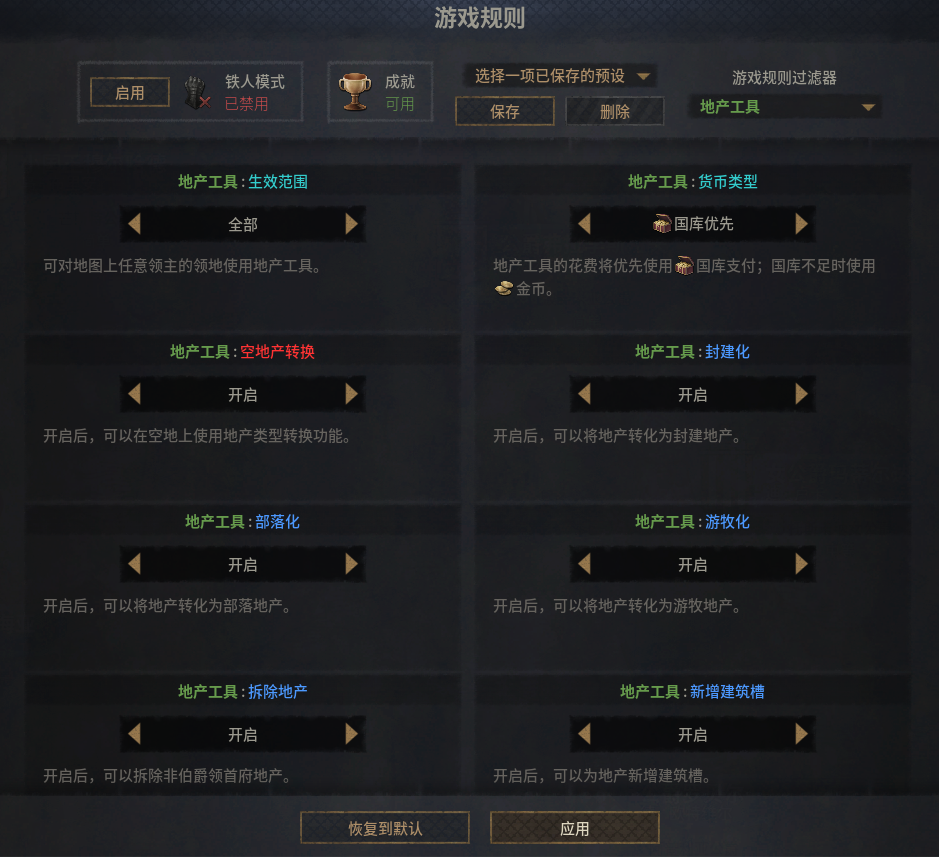
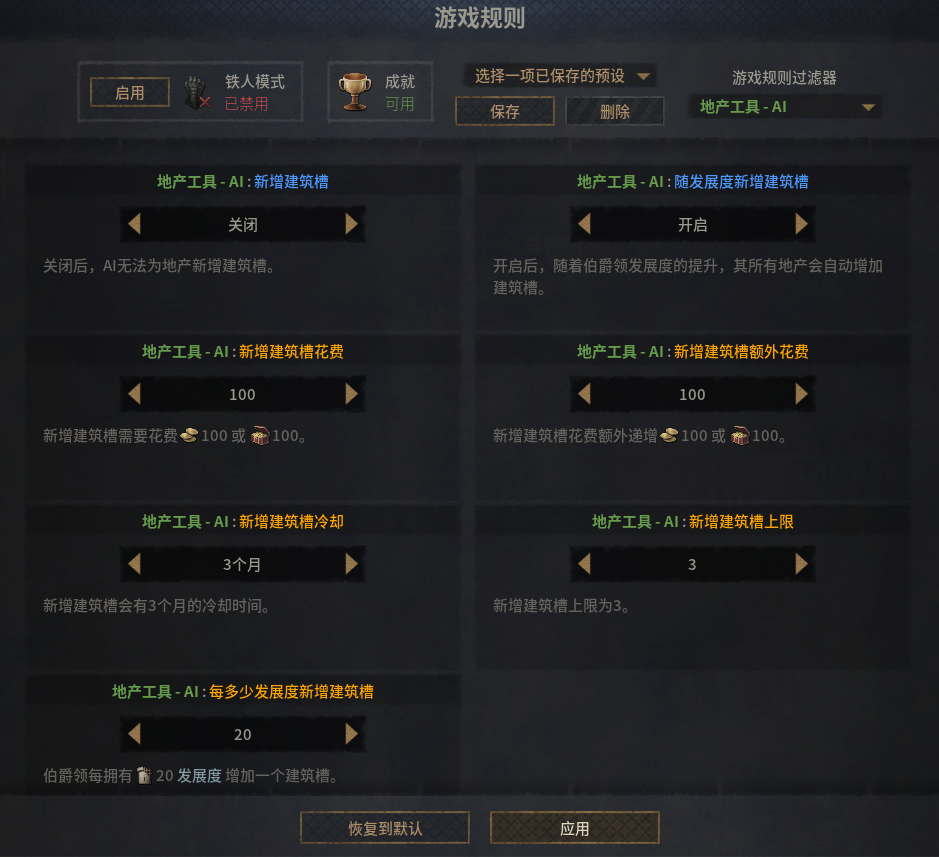
Rules bearing the AI suffix can be modified to control whether certain features are permitted for the AI(Each major rule category operates completely independently without affecting one another).
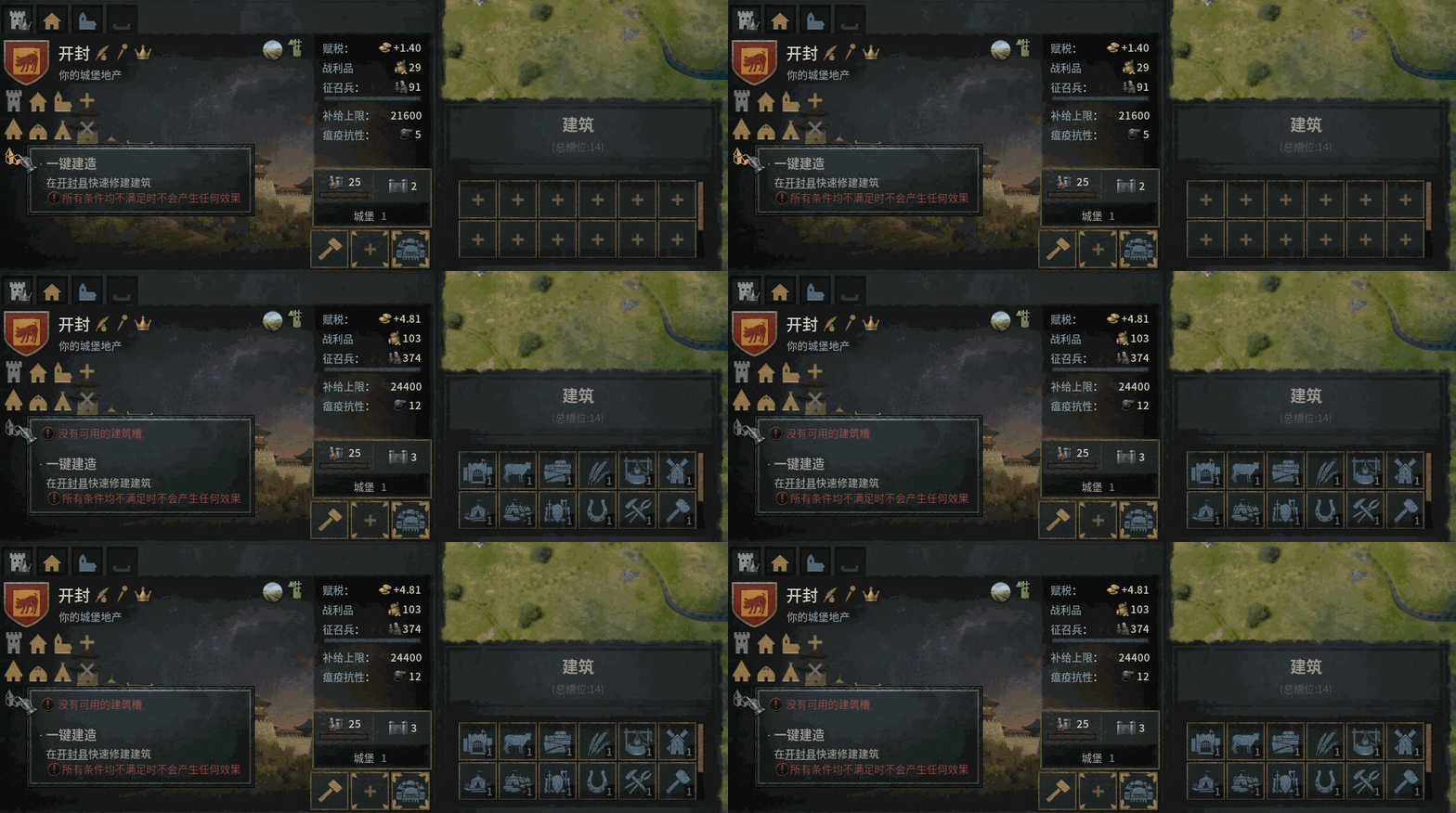
Starting from version 1.1.0, two new buttons — One-Click Construct and One-Click Upgrade — have been added. Currently, they only work with the vanilla game (no modifications to building configurations). (Now supports AGOT)
They are disabled by default; you can toggle them in the game rules.
You can also choose whether to bypass build conditions and building costs. When gold is insufficient, construction/upgrading will automatically stop.
Why is this a test feature? Because maintaining it requires significant effort. I’ve explored many approaches, and the best way to implement this remains hardcoding every single building into the script. In other words, any addition, removal, or modification of buildings — whether by other mods or by official patches — will cause issues.
After careful consideration, I decided not to include this in the compatibility patches. To avoid affecting other progress, this feature will be put on hold for now.
(1.1.1 Update)
Added one-click fill slots and one-click max level toggles, as well as a combined one-click build & upgrade button.
When using one-click build, building slots will automatically be expanded if insufficient. When using one-click upgrade, buildings can be directly upgraded to max level.
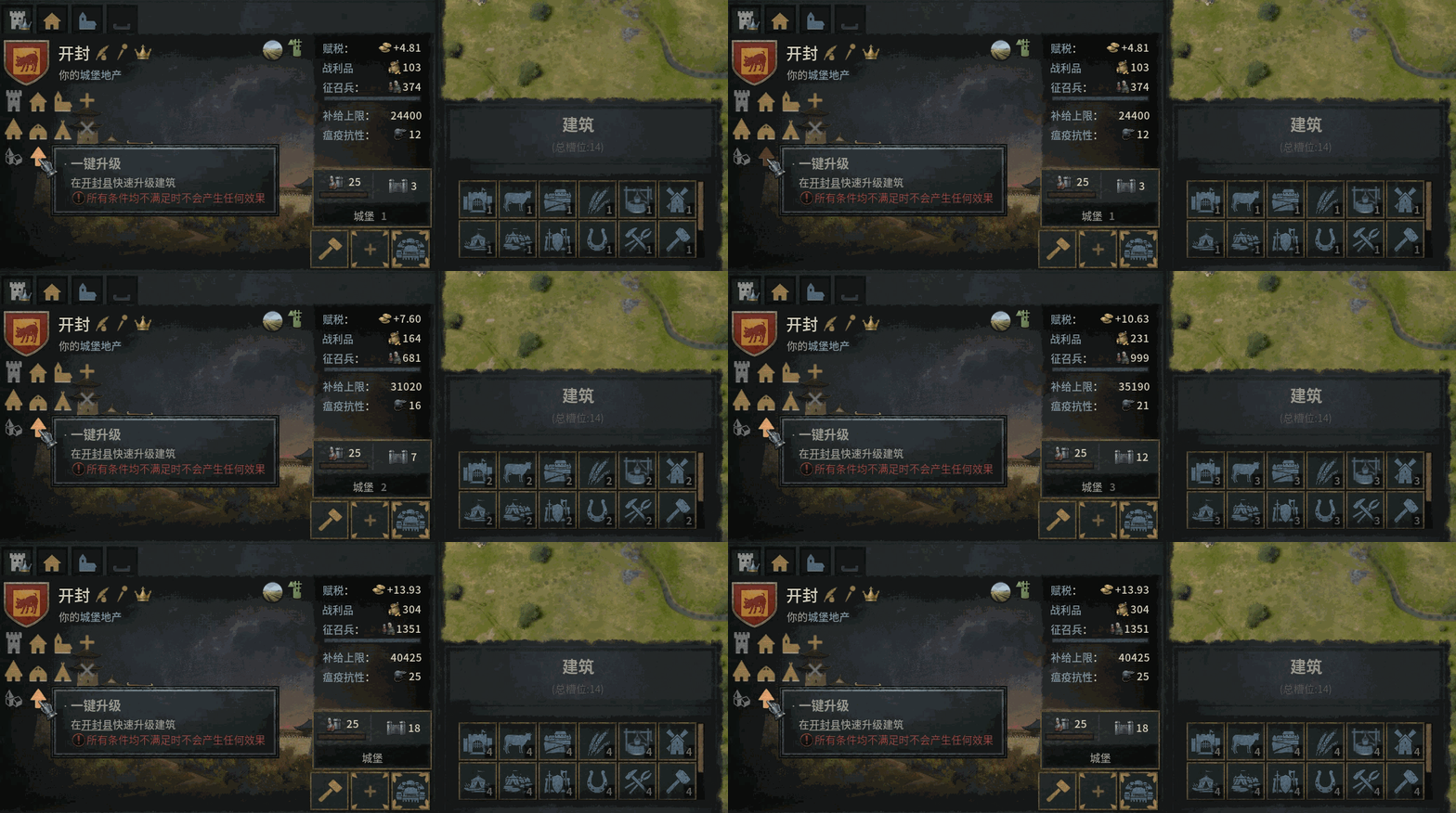
Supports the latest version 1.19.0.6; older versions should be tested at your own discretion.
For any mod conflicts that modify the holding UI (window_county_view.gui), if the conflicting mod does not add new features, you can try placing Holding Tool at the bottom of the load order and test whether the game runs normally.
If there is genuine demand, I will work on compatibility — either directly or via patches.
Compatibility patches available:
- Holding Tool Patch – AGOT
- Holding Tool Patch – LotR: Realms in Exile
- Holding Tool Patch – EK2
- Holding Tool Patch – Great Ming Ascendant
- Holding Tool Patch – ECV
- 简体中文 (Primary)
- English
- Русский
- Français
- Español
- Deutsch
- 한국어
- 日本語
Aside from Simplified Chinese (the primary language), all other translations were generated by AI. If they contain any ambiguity or inaccurate phrasing, we still need selfless creators to make localization patches.
This is my first experience working with Paradox Interactive’s engine. To quickly understand the underlying logic, I studied and referenced the following mods. My sincere thanks to their creators for contributing to the community!
If you enjoy this mod, feel free to like and favorite it — real feedback from users is one of my main sources of motivation.

If you have any questions or suggestions, feel free to leave a comment below. I will check periodically and address or adopt them as appropriate.
Revisions:
Old revisions of this mod are available below. Click the link to download.


