[WOTC] Yellow Alert Gameplay V2.0
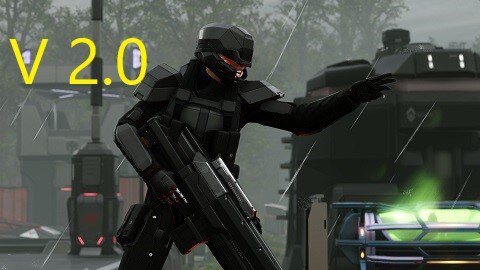
Yellow Alert Gameplay improves the AI’s decision making process for tactical pod movement prior to and during engagement, providing a more realistic approach to how the AI respond to Xcom’s position on the map. All gameplay cheats have been removed. By introducing the pod job manager from LW2 to Yellow Alert Gameplay V2.0, enemy pods will now do more than just run towards the alert like they did in the original version of yellow alert gameplay. The pod manager assigns certain jobs for patrolling pods or groups. The jobs they can take depends on the mission and a variety of other factors. Below is a list of the jobs a patrolling and unengaged pod can be assigned along with a description of each:
REQUIRES the COMMUNITY HIGHLANDER
Pod Jobs are assigned once XCom has broken concealment and at least one enemy pod is in yellow or red alert. Some pods that are in green alert will continue to patrol normally.
Guard – Move to the objective but once you reach it, find a new job
Defend – Move and patrol a small area around the objective. This job is indefinite.
Intercept Xcom – Move toward Xcom’s last known position. The last known position is updated each time someone from the alien team sees Xcom or when important alerts are known by the alien team. All pods on the alien team are aware of this location.
Flank – sets up a 3 phase flank move in an attempt to flank Xcom’s last known position.
Block Xcom – Block Xcom’s path to the objective by moving in between their last known position and the objective.
Once they reach this location they will be assigned a new job.
Scout – This jobs only gets assigned once a pod has investigated Xcom’s last known position via the intercept or flank jobs and Xcom is not there anymore. The pod will then attempt to scout the area until Xcom is spotted again.
Defend Evac Zone – This job kicks in if the alien team has spotted Xcom’s evac zone and only after the objective has been completed. They will send a pod to permanently patrol a small area around the evac zone so Xcom can’t escape.
The following alerts will upgrade a pod from green to yellow alert. When pods are in yellow alert they use both action points to run to their next job assignment.
Detected New Corpse
Detected Ally Taking Damage
Detected Sound
Alerted By Yell (Caused by Civilians)
Sees Explosion – actually works by hearing explosion
Sees Alerted Allies
During the alien turn, enemy units that are in green alert now have a chance to gain an extra Defensive action point once revealed. The chance to roll for an extra varies depending on how many tiles the unit moved prior to revealing. For example, a unit that moved one tile has a much greater chance to receive an extra action than a unit that moved 5 spaces. Basically, the concept here is that we are trying to refund back the action point that the unit may have lost for having revealed and their movement being interrupted. Units that moved at least half of their movement points prior to revealing aren’t eligible.
Defensive action points are set in the yellowalert.ini, and limited to mainly overwatching, energy shield, and other defensive actions.
Units in yellow alert, who are suspicious, and aware of a threat, have the same chance to roll for an extra action, but will receive a standard action point that will allow them to use any action for their character. Any units that are injured during reinforcement or scamper have their regular action point replaced with a defensive action point and are limited to the defensive actions set in the ini.
This feature can be disabled and the chances configured in the YellowAlert.ini config file.
Since the counter attack dark event conflicts with the reflex actions, I have modified the event so that it instead increases the chance of a successful reflex action. This chance can be configured in the YellowAlert.Ini and the original restored by commenting out these two lines in XComGameCore.ini
-DARK_EVENT_COUNTERATTACK_CHANCE=50
+DARK_EVENT_COUNTERATTACK_CHANCE=0
Reinforcement units receive an extra action point, giving them a full turn when they drop in. This feature can be disabled and the chances configured in the config file. I STRONGLY RECOMMEND THAT YOU SET ANY ENEMY MODS SO THAT THE REINFORCEMENT COUNTER WAITS AT LEAST 1 TURN WHEN USING THIS. OTHERWISE THOSE PODS WILL SPAWN AND ATTACK DURING THE SAME TURN. In Leb’s Game Enemies the Riftkeeper by default creates the psi gate and the units spawn on that turn. That mod allows you to adjust the counter for this. Same thing goes for BioDivision’s when the lost call for more lost. Or, if you like suffering leave all mods at default, your choice!
Any units that are injured during reinforcement or scamper have their regular action point replaced with a defensive action point and are limited to the defensive actions set in the ini.
Many other Configuration options in this mods config/XcomYellowAlert.ini.
Upthrottling and downthrottling can be enabled in config/XcomAI.ini by adding semicolins or deleting to the last six lines.
Because of the added difficulty I recommend using Dynamic Encounter Zones to spread out the pods on the map. https://steamcommunity.com/sharedfiles/filedetails/?id=1854949514
Thanks to the long war 2 mod and LWOTC I was able to borrow most of the code from them.
Safe to add or remove mid campaign, but not during tactical.
This version of yellow alert gameplay requires the community highlander. I have tested this extensively without any issues. By using the highlander I am able to eliminate several mod class overrides, but unfortunately still have to override a few classes listed below:
XGAIBehavior
Dynamic Pod Activation
Random Enemy Movement – Incorporated into this mod, no need to subscribe to it
Rapid Reinforcements
[WOTC] ADVENT Suppression (Includes ABA Support)
Will work but you have to make some changes to XComAI.ini. Instructions on how here:
https://steamcommunity.com/workshop/filedetails/discussion/1964595004/2568690592363820251/
Mission Overhaul and Mercury
Will work but you have to delete this mod’s content folder.
Required items:
Click the title to search on this site.
X2WOTCCommunityHighlander v1.26.3 — Steam Workshop
Revisions:
Old revisions of this mod are available below. Click the link to download.


